Find programmes and apply
The marketplace, applying and what happens next.
Every approved programme on cli.gs is listed in the public marketplace. On this page you'll learn how to compare programmes, read their terms and apply. The merchant decides on each application, so a clear application with honest channel details is the fastest way to a link.
In short:
- Open Programs in the header, then search and filter.
- Read the programme page before you apply: cookie window, holding period, commissions and terms.
- Apply with a motivation, at least one promotion channel and honest answers to the two traffic questions.
- Your applications are under Programs in the publisher dashboard, in the tabs Active, Applied and Declined.
Browse the marketplace
Open Programs in the header. The marketplace lists every programme that has passed our review.
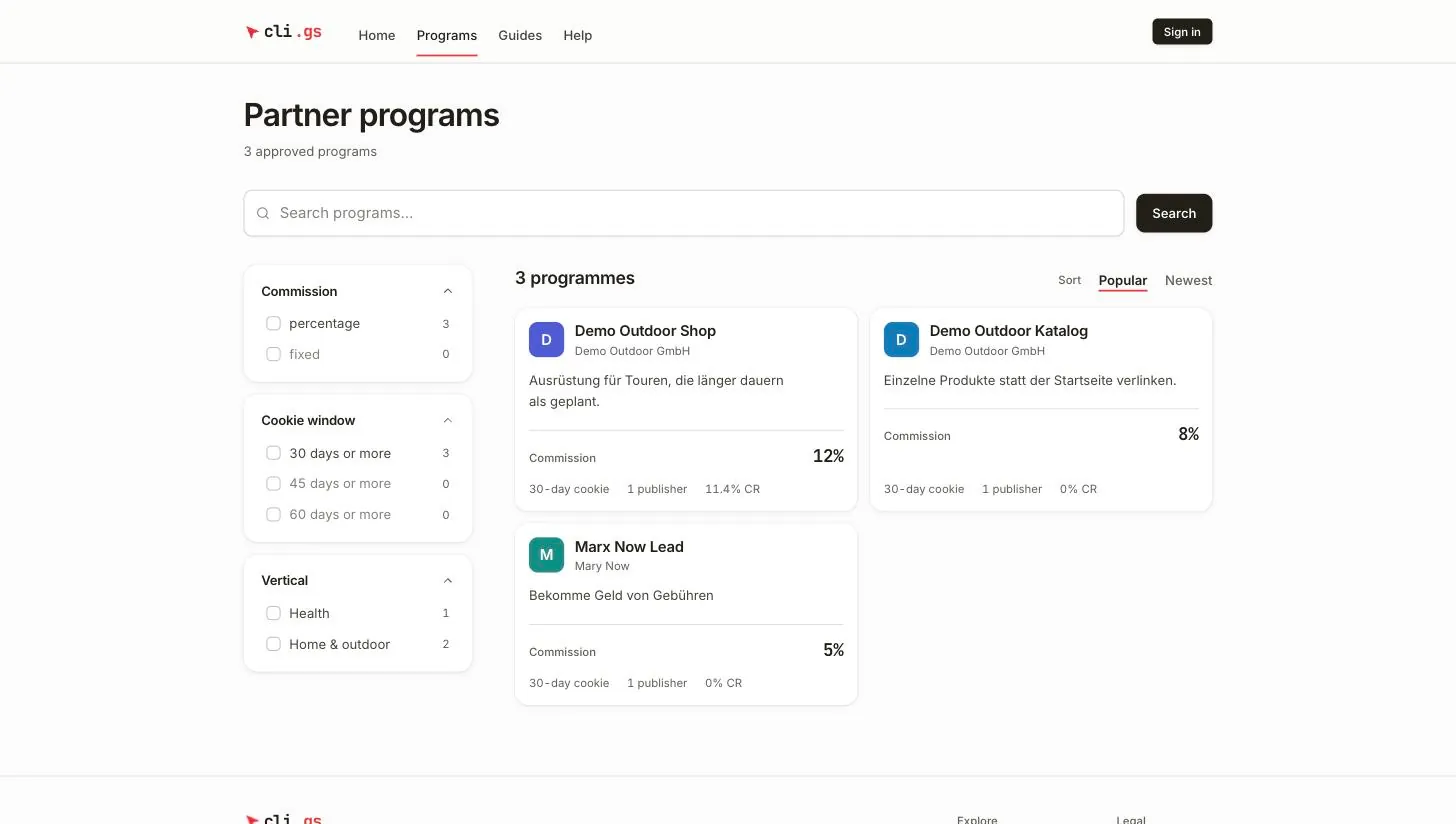
- Search programs… finds programmes by name, tagline or merchant name.
- Filters narrow the list: Commission (percentage or fixed), Cookie window (30, 45 or 60 days or more), Vertical and Currency. Each option shows how many programmes it would leave. Clear filters resets them.
- Sort switches between Popular and Newest.
Read the programme page
Click a programme to open its page. Read it before you apply. It sets out the conditions under which you promote the programme.
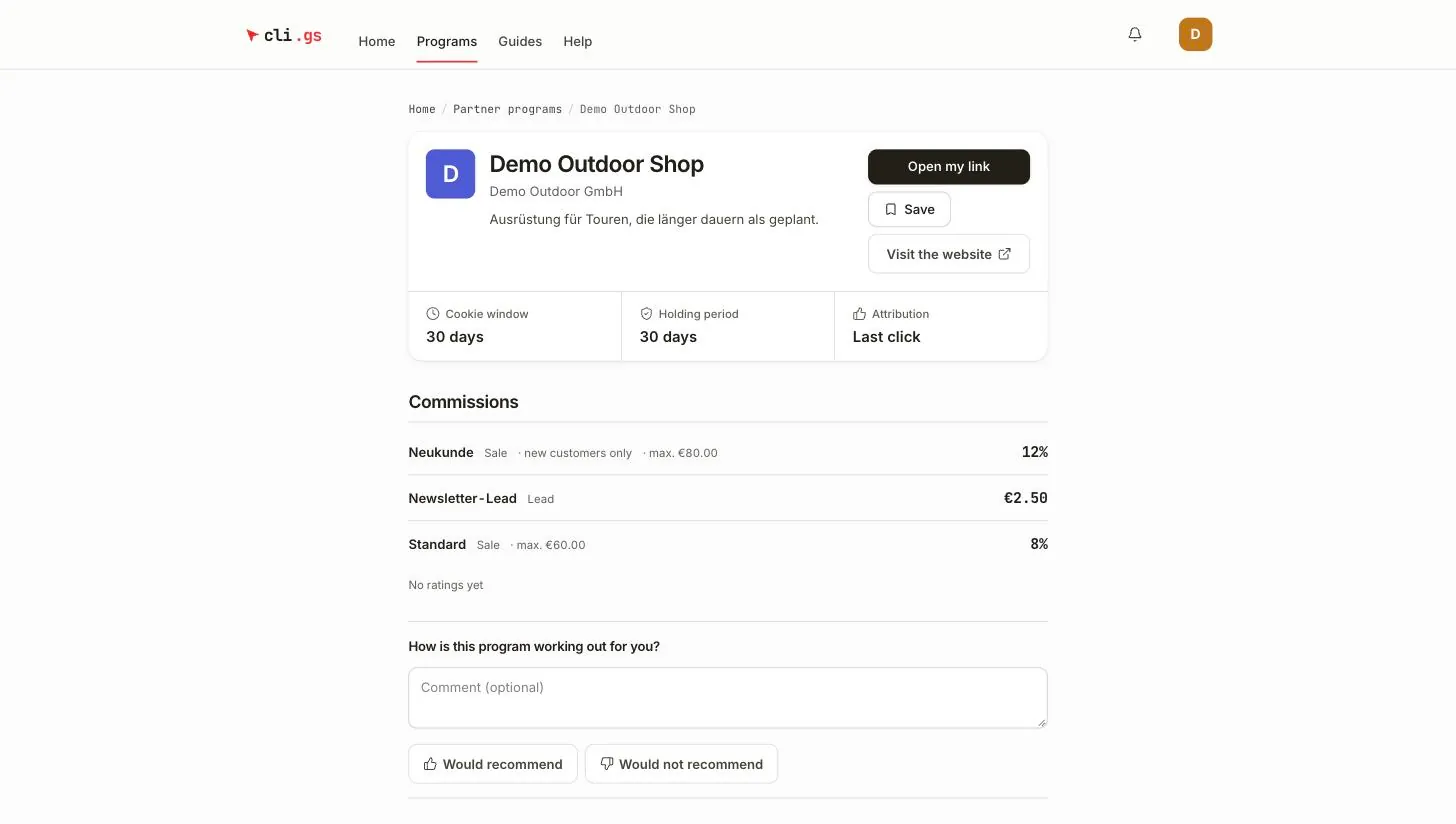
- Cookie window: how many days after a click a sale still counts for you.
- Holding period: how many days after approval it takes before a commission becomes payable.
- Attribution: Last click. If a visitor clicks several links, the link whose ref code the shop reports earns the commission.
- Commissions: every rule with its event (Sale, Lead, Signup), a percentage or a fixed amount, and limits such as "new customers only" or a cap.
- About the program and Terms: the merchant's description and rules. They say, for example, whether coupon sites, paid traffic or brand bidding are allowed.
Ratings from publishers who have worked with the programme appear below the commissions. Save keeps a programme on your list for later.
Apply
- Click Apply as a publisher. If you're not signed in, you sign in first. Without a publisher profile, you create one first. Afterwards you come back to the form.
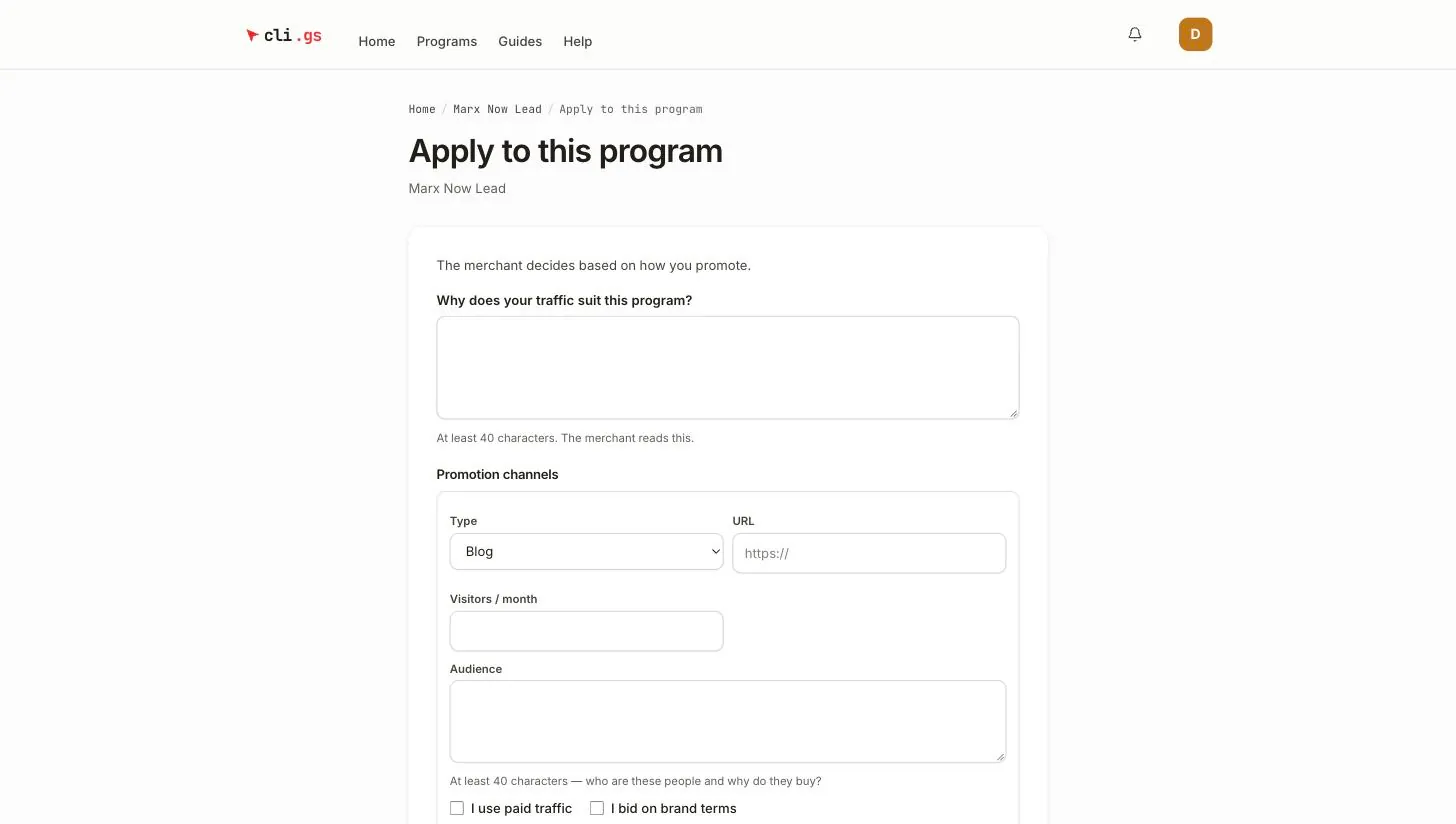
- Answer Why does your traffic suit this program? in at least 40 characters. The merchant reads this.
- Describe at least one of your Promotion channels (up to eight). The list below says what each channel needs.
- Tick I use paid traffic and I bid on brand terms if they apply. For Paid search and Paid social, paid traffic must be ticked.
- Click Send application.
For each channel you fill in:
- the Type,
- the URL: required for Website, Blog, SEO, Social media, YouTube and App,
- the Handle: required for Social media and YouTube,
- optionally Visitors / month,
- the Audience in at least 40 characters: who these people are and why they buy.
You can only apply to programmes that are currently approved. You can send up to 20 applications per day.
What happens next
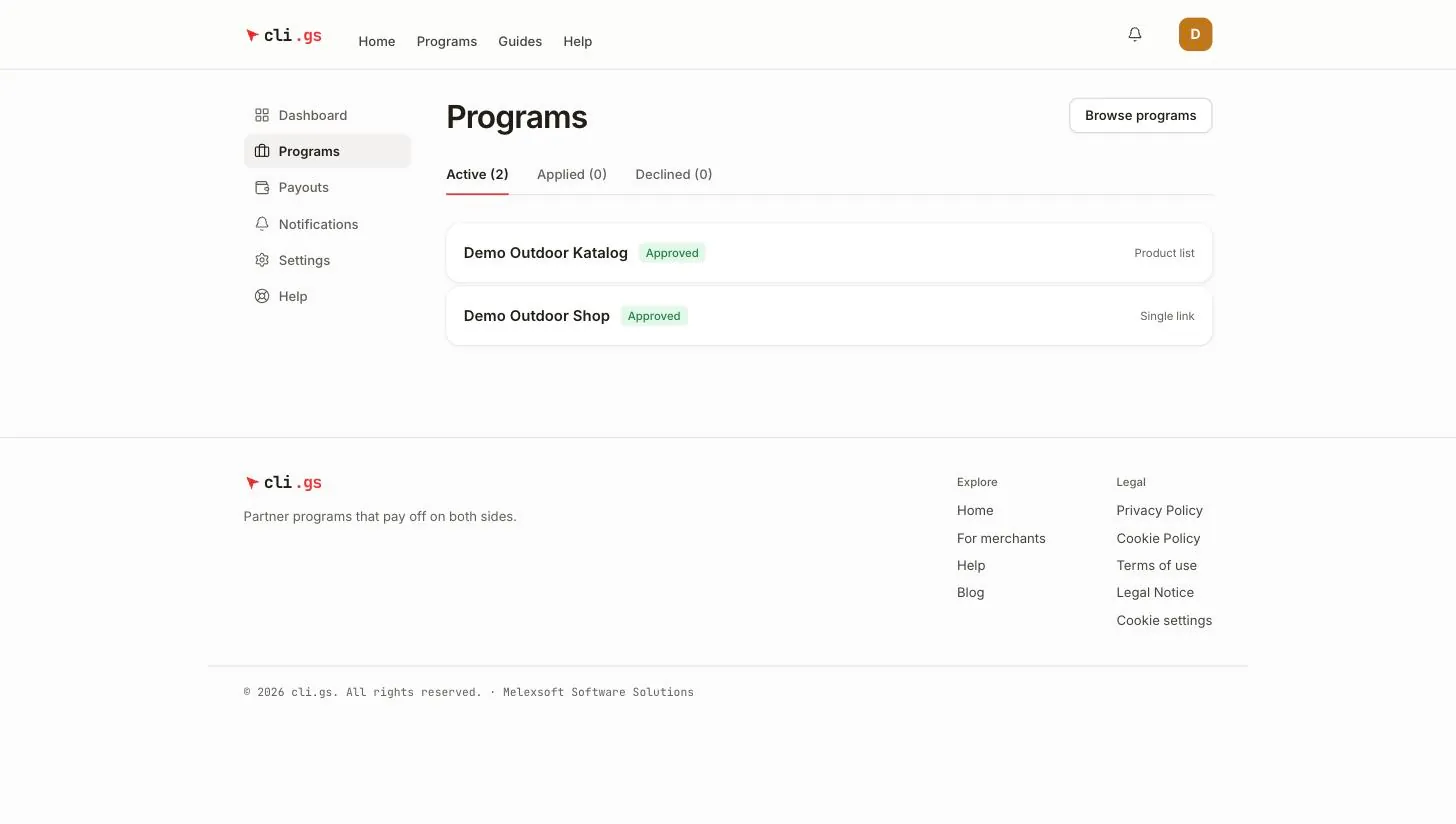
Some merchants approve applications automatically. Then your link is ready at once. Otherwise the merchant decides, and you get a notification either way. Your applications are under Programs in the publisher dashboard, in three tabs: Active, Applied and Declined.
| Status | Tab | Meaning | What you can do |
|---|---|---|---|
| Under review | Applied | The merchant has not decided yet. | Wait, or click Withdraw application. |
| Approved | Active | Your link is ready. | Open the programme to copy your link. See Use your links. |
| Rejected | Declined | The merchant said no, with a reason. | Read the reason; Apply again after 30 days. |
| Withdrawn | Declined | You took the application back. | Apply again at once. |
| Revoked | Declined | The merchant ended an approval; your link no longer redirects. | Only the merchant can reactivate you. Your old link then works again. |
A rejected application can be sent again 30 days after the decision. Before that, the form shows the date from which you can reapply. Use the time to address the reason the merchant gave.
When a programme changes
Merchants can change their programmes. Some changes make a live programme worse for you: a lower commission, a shorter cookie window, a longer holding period or new terms. Such changes are announced by notification and take effect only 30 days later. Improvements apply at once. If a programme is paused or ended, you're notified as well. Commissions you've already earned are still paid.