Terms and commission rules
What you pay, when, and how changes reach publishers.
Publishers decide on your programme by reading two things: the terms and the commission. On this page you set both, in the Description and terms and Commission rules sections of the programme page. You'll learn what each setting means, how cli.gs picks the rule that pays a conversion, and why some changes on a live programme take 30 days.
In short:
- Description and terms take Markdown and need at least 40 characters each.
- The cookie window (1–90 days) decides how long after a click a sale still counts. The holding period (14–90 days) delays the payout.
- Every conversion is paid by exactly one rule: the fitting rule with the highest priority, otherwise the default rule.
- On a live programme, improvements apply at once. Changes for the worse take effect after 30 days.
Description and terms
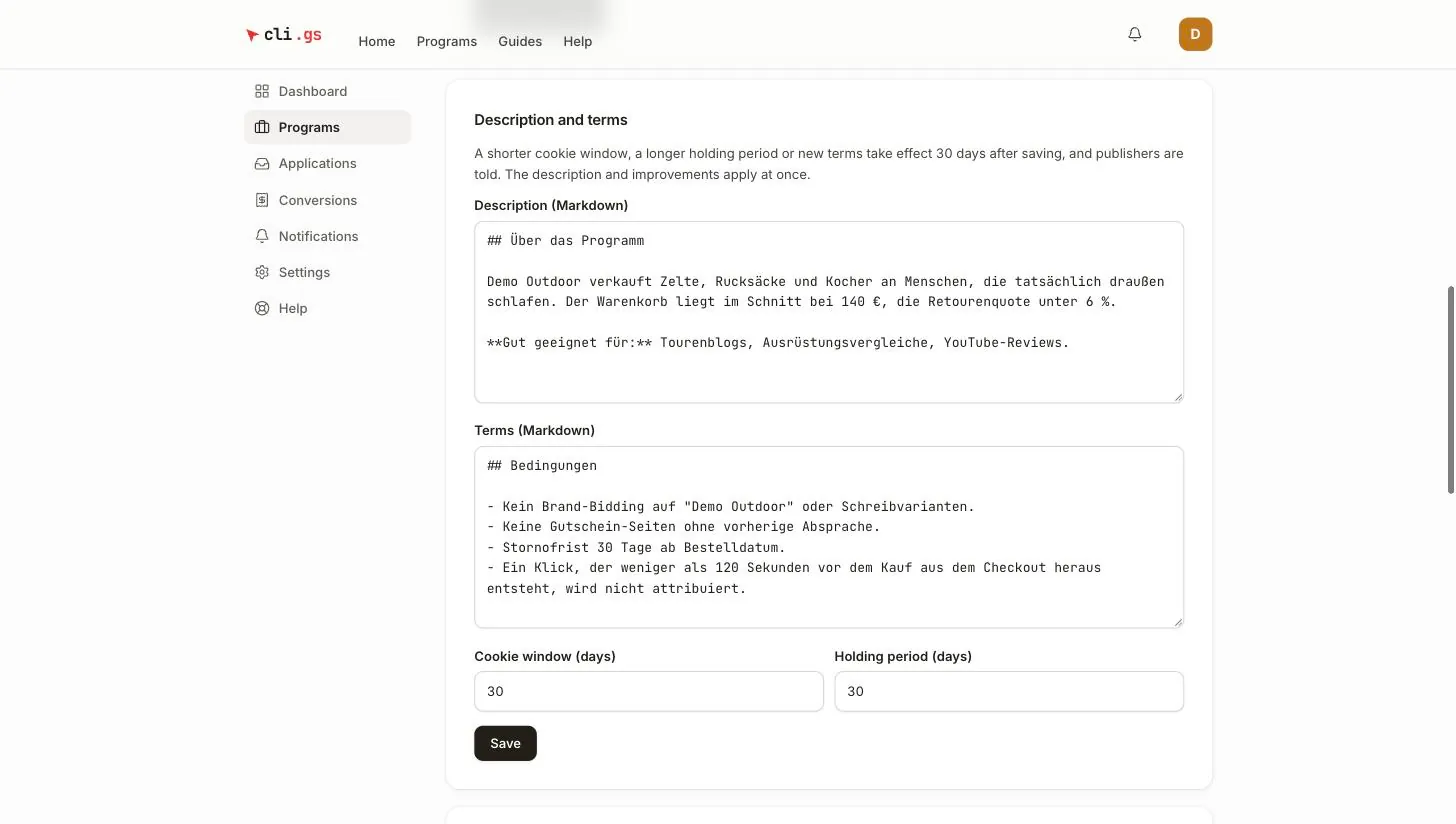
Both fields accept Markdown: headings, lists, bold and links. Each needs at least 40 characters before you can submit.
- Description (Markdown) — what you sell, who the programme suits and why it's worth applying. This is the pitch publishers read in the marketplace.
- Terms (Markdown) — the rules of the deal: allowed and forbidden traffic sources, your brand-bidding policy, coupon and cashback sites, and anything else a publisher must respect. A clear list here lets you later reject a conversion for "Terms violated" without a dispute.
Cookie window and holding period
| Setting | Range | Default | Meaning |
|---|---|---|---|
| Cookie window (days) | 1–90 | 30 | How long after a click a sale still earns commission. Attribution is last click: the most recent click wins. |
| Holding period (days) | 14–90 | 30 | How long an approved commission is held before the publisher can be paid, to cover your return period. |
A sale reported after its click's cookie window has ended is refused. No commission is due. The window is fixed for each click at the moment of the click, so a change only affects new clicks.
The holding period starts when a conversion is approved, not when it's reported. The approval window is 30 days. A sale therefore becomes payable to the publisher after 30 days plus the holding period. See Review conversions.
How commission rules work
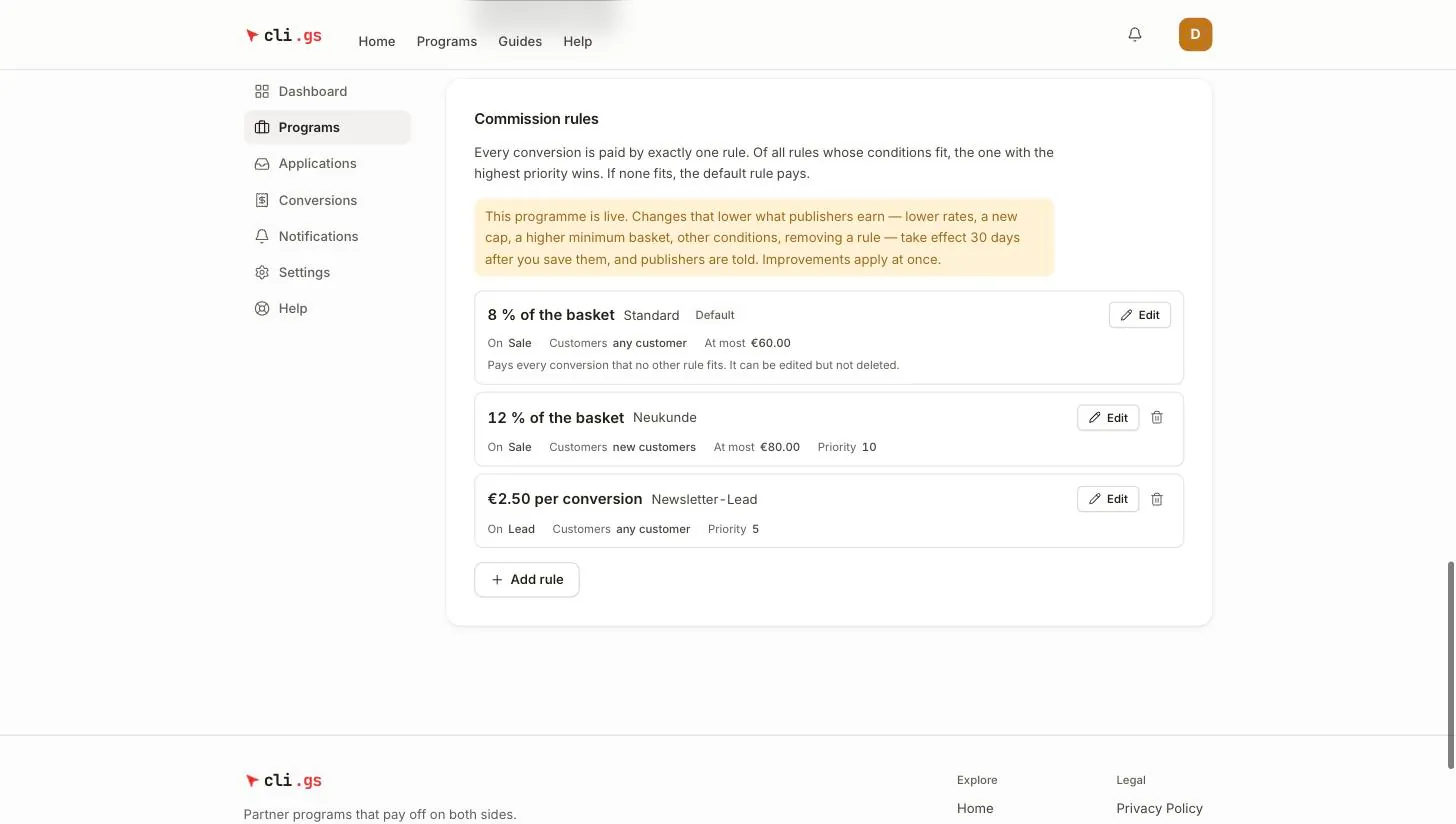
The rules section sums it up: every conversion is paid by exactly one rule. Of all rules whose conditions fit, the one with the highest priority wins. If none fits, the default rule pays.
cli.gs picks the rule like this:
- It collects every rule except the default rule that fits the sale: valid at the time of the sale, matching the reported event, and with a fitting customer type, product key and minimum basket. An empty condition fits anything.
- The rule with the highest priority wins.
- On equal priority, the more specific rule wins. A rule with a product key beats one without, and a rule with a customer type beats one without. If still equal, the older rule wins.
- If no rule fits, the default rule pays.
The default rule
The default rule is marked Default. It's only the fallback: it never competes on priority, has no conditions besides the event, and has no minimum basket. You can edit it but not delete it. A new programme starts with one: "Standard", 5 % of every sale.
Rule fields
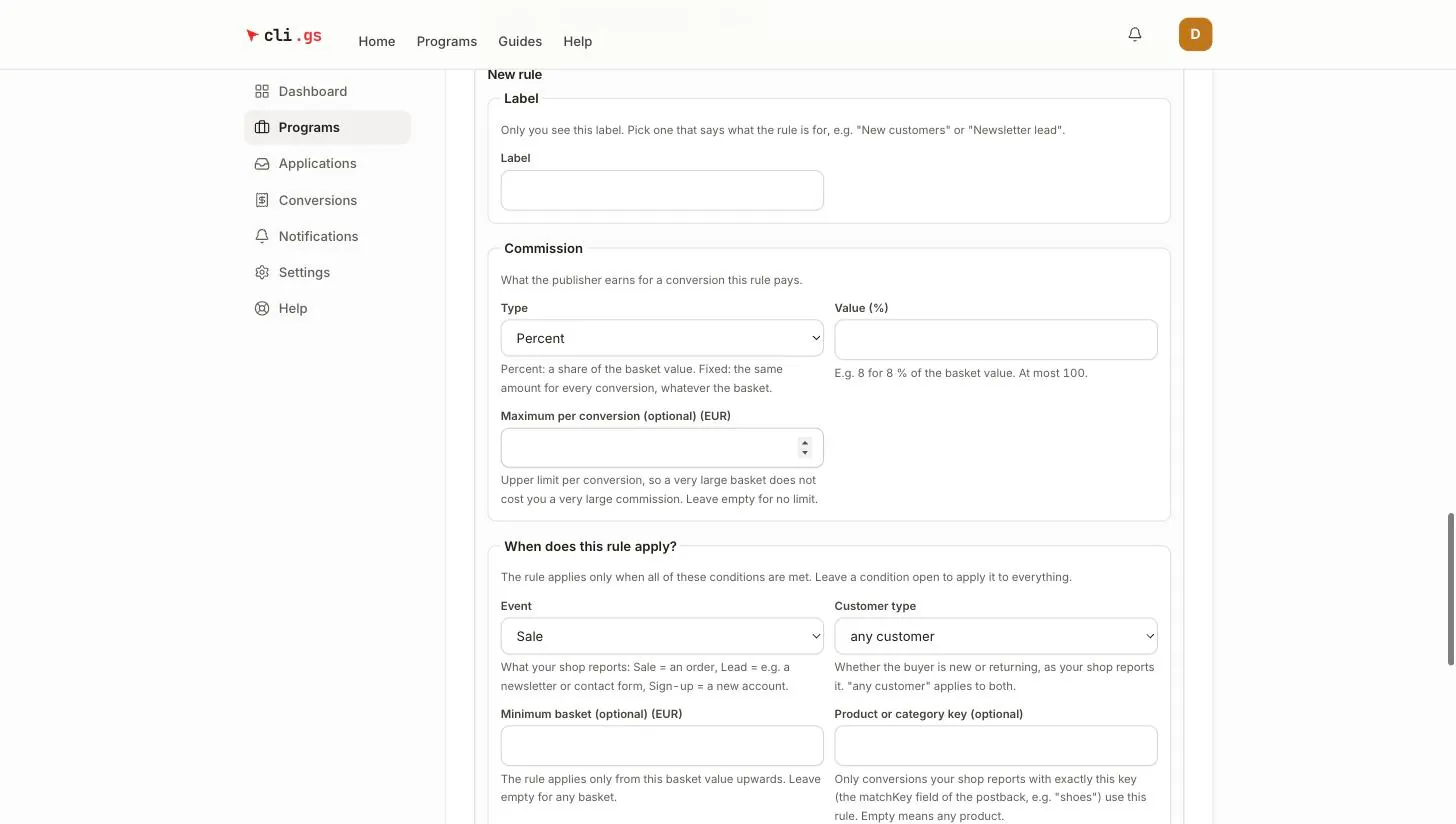
Click Add rule to open New rule, or Edit on an existing one.
| Field | Meaning |
|---|---|
| Label | Only you see it. Name the purpose, e.g. "New customers". |
| Type | Percent of the basket value, or Fixed amount per conversion. |
| Value | E.g. 8 for 8 %, at most 100; or e.g. 2.50 EUR per conversion. |
| Maximum per conversion (optional) | Percent rules only: a cap so a huge basket does not cost a huge commission. |
| Event | Sale, Lead or Sign-up, as your shop reports it. |
| Customer type | any customer, new customers or returning customers, as your shop reports it. |
| Minimum basket (optional) | The rule applies only from this basket value upwards. |
| Product or category key (optional) | Only conversions reported with exactly this matchKey, e.g. shoes. |
| Valid from / Valid until | Optional dates for a campaign; from the start of the first day to the end of the last (UTC). |
| Priority | 0 (lowest) to 1000 (highest); new rules start at 10. |
Customer type and product key only work if your shop sends them with the conversion (customerType and matchKey). See Report conversions.
Example
The default rule pays 5 %. A rule "New customers" pays 10 % for customer type new, priority 10. A rule "Shoes" pays 12 % for product key shoes, priority 20, capped at €30.
A new customer buying shoes earns 12 %, because the higher priority wins. A new customer buying anything else earns 10 %. Everyone else earns 5 %.
Changing rules and terms on a live programme
While a programme is a draft or under review, every change applies at once. Once it's live (approved or paused), publishers have joined on the terms they read. So:
- Improvements apply immediately: a higher rate, a removed cap, a lower minimum basket, a longer cookie window, a shorter holding period, a new description.
- Changes that lower earnings take effect 30 days after you save them, and every publisher in the programme is notified.
| Counts as a change for the worse |
|---|
| A lower rate, a new or lower cap, a higher minimum basket |
| A different type, event, customer type, product key or priority |
| An earlier end date, or deleting a rule that is in force |
| A new rule that pays less than the default rule it would replace |
| A shorter cookie window, a longer holding period, any change to the terms text |
Anything that isn't clearly an improvement counts as a change for the worse. You see the result right away: the current rule is marked Ending with its end date, and the new version is marked as announced with the date it starts. Announced terms appear in a box headed "Announced for …".
Conversions already recorded keep the commission they were booked with. A change only affects future conversions.