Create a programme
Name, target, allowed domains and the link publishers get.
A programme is your offer to publishers: what you sell, where their links lead and what you pay. On this page you create one with a short form and learn what the link target, the allowed domains and the transferable parameters mean. The programme starts as a draft. Nothing is public until cli.gs has approved it, so you can take your time with the rest.
In short:
- Create a program appears once you're verified and your quota allows another programme.
- Choose the link target carefully: single target URL or product list. It can't be changed later.
- The domains of your website and target URL are allowed automatically. Add others only if you need them.
- Publishers get a link with a random eight-character token, so renaming the programme never breaks a link.
- After creating the programme, fill in terms and commission rules, then submit it for review.
Your programmes
Programs in the merchant navigation lists your programmes in three tabs: Active (live and paused), Applied (drafts and programmes under review) and Declined. Each entry shows its status, clicks, sales and publishers. A rejected programme shows the reviewer's reason right under its name.
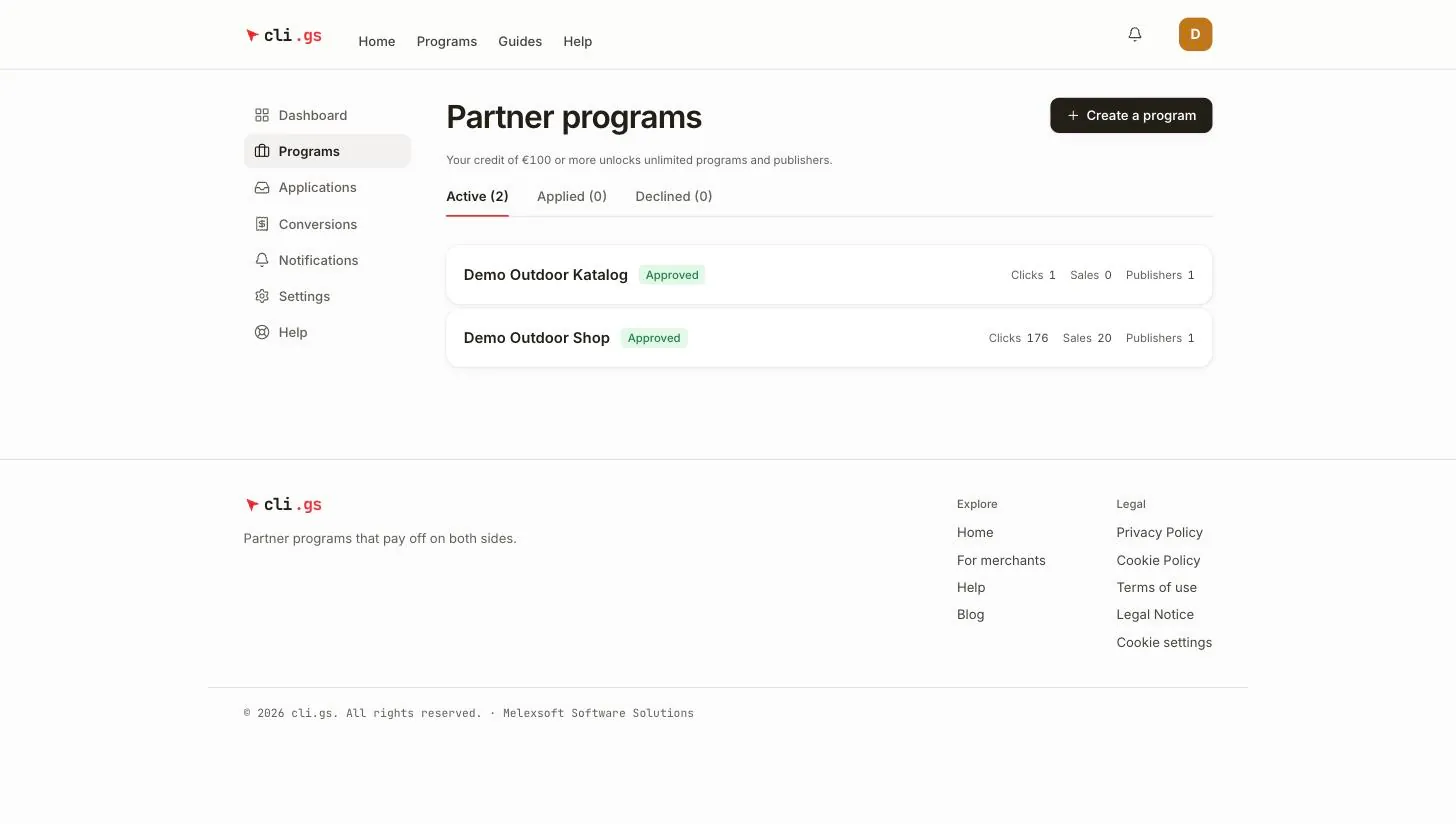
The Create a program button appears once you're verified and your quota allows another programme. On the free tier, the quota is one submitted, live or paused programme. Drafts are free. See Credit and costs.
The form
Click Create a program to open New program.
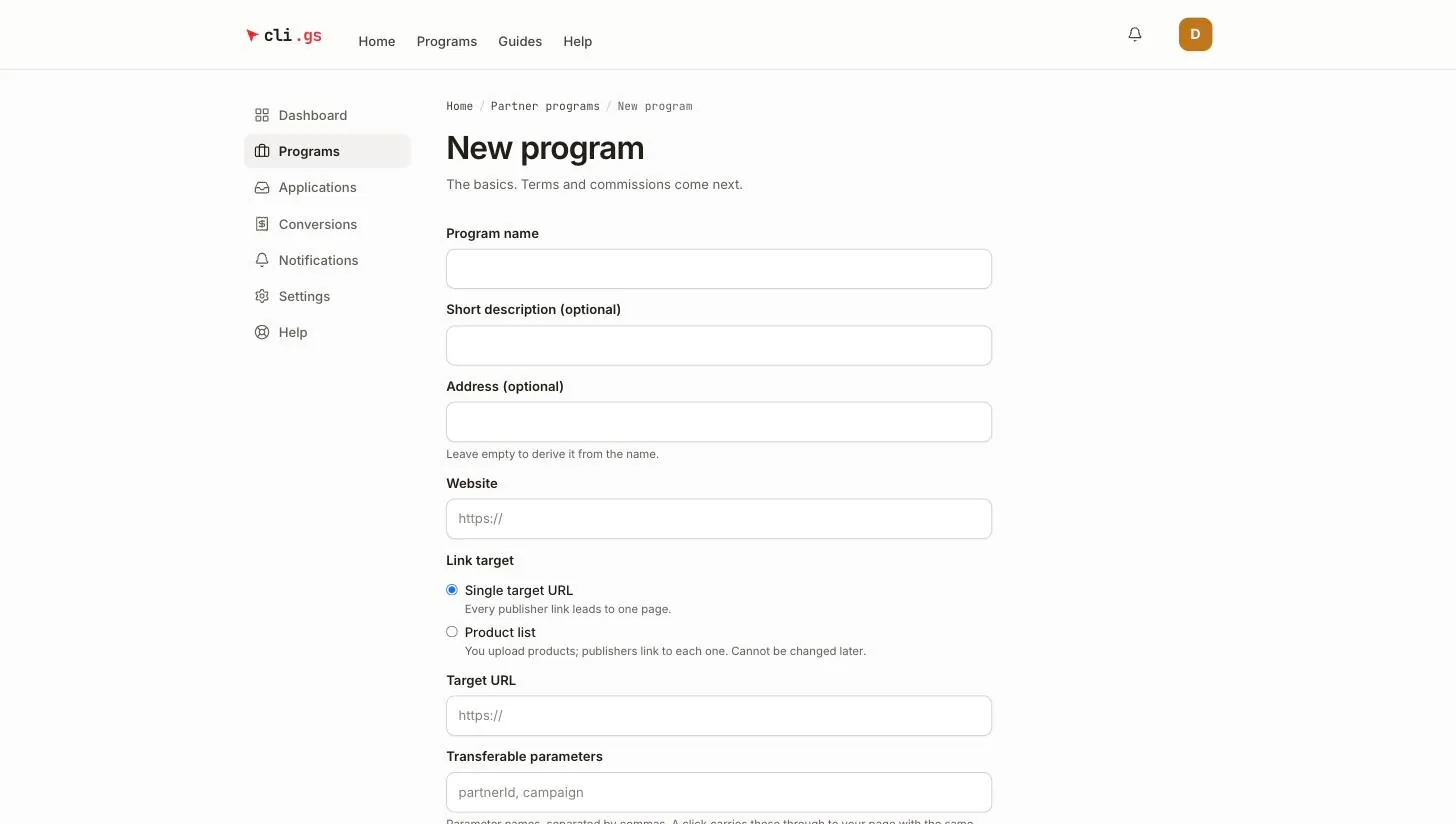
| Field | What to enter |
|---|---|
| Program name | 3 to 120 characters. You can change it later. |
| Short description (optional) | One line for the marketplace, up to 200 characters. |
| Address (optional) | The public page address, /programs/your-address: 2–40 characters, lower case, digits and hyphens. Leave it empty to derive it from the name. It can't be changed later. |
| Website | Your shop's home page, e.g. https://shop.example. |
| Link target | Single target URL or Product list (see below). Fixed after creation. |
| Target URL | Only for a single target: the page every publisher link leads to. |
| Transferable parameters | Optional. Query parameters a click may carry through to your page. |
| Currency | EUR. Programmes settle in EUR for now. |
| Vertical | The category publishers filter by in the marketplace. |
| Additional allowed domains (optional) | Further domains your links and pixel may use. |
Click Create program. You go straight to the programme page to fill in terms and commissions.
Single target URL or product list
- Single target URL — every publisher link leads to one page, for example your home page or a landing page.
- Product list — you upload a CSV of products, and publishers get one link per product. Choose this if publishers should promote individual items. See Product lists.
The choice can't be changed later. Switching would break every link publishers have already shared.
Allowed domains
Allowed domains protect you and your visitors. A publisher link only ever redirects to these domains, and only pages on them may fire the tracking pixel (see How cli.gs works). Your Website and Target URL domains are added automatically, without www.. Each domain includes its subdomains. List further domains only if your checkout or landing pages live elsewhere, for example shop.example, eu.shop.example.
Each entry must be a domain you can own. A bare suffix such as co.uk, an IP address or localhost is refused. Up to 20 domains are allowed, and the target URL itself must lie on one of them.
The link publishers get
Every programme has a random token of eight characters. A publisher's link combines their handle with that token:
https://cli.gs/@publisher/k7m2xq9p
https://cli.gs/@publisher/k7m2xq9p/SKU-1   (product list)
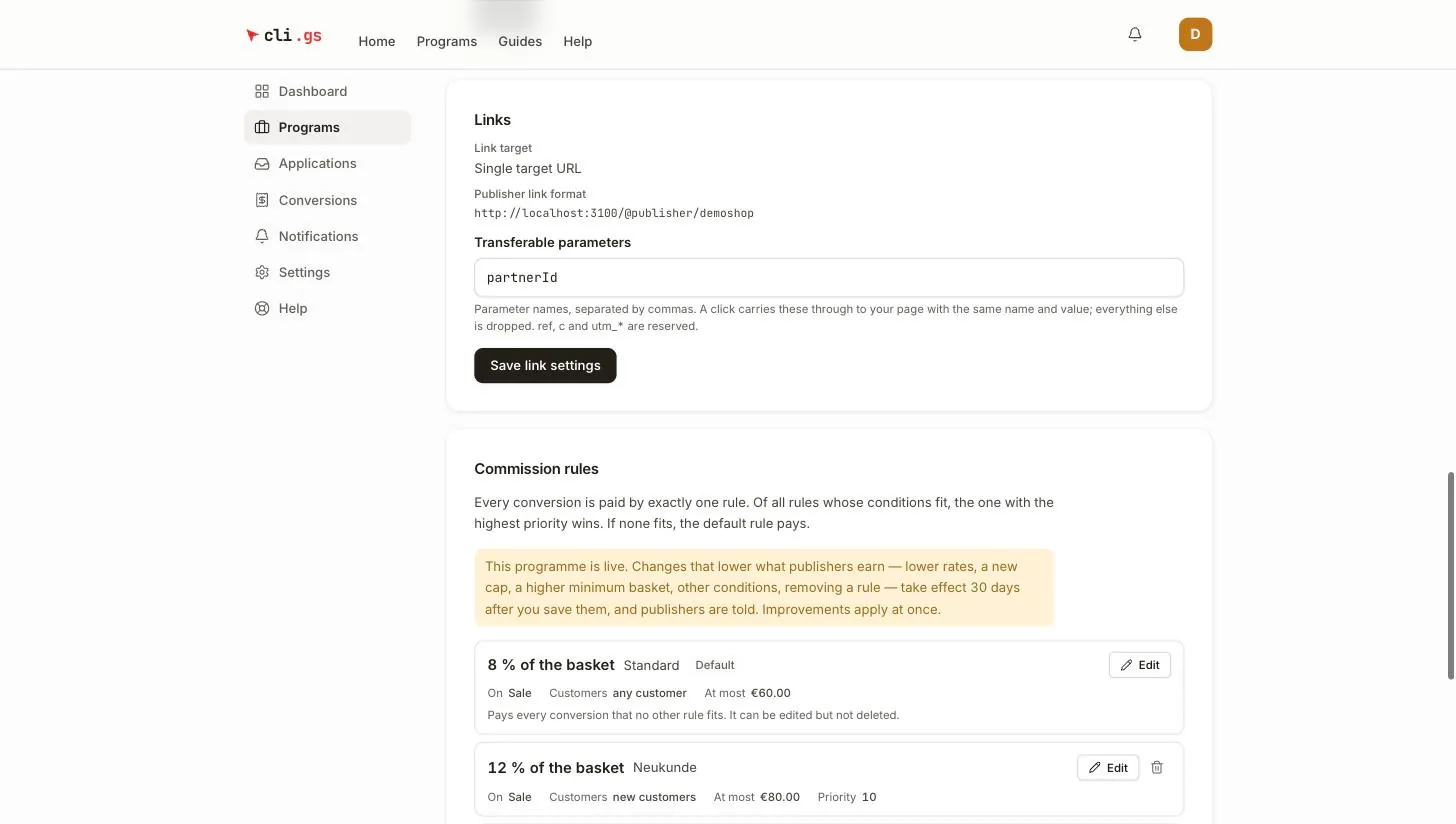
The token is random rather than derived from the name. Renaming the programme therefore never breaks a link that's already printed or posted. The programme page shows the format under Links → Publisher link format.
When a visitor clicks, cli.gs redirects to your target and adds a ref parameter with the reference code. Your shop must keep that code until checkout and send it back when the sale happens. See Capture the ref code.
Transferable parameters
Normally cli.gs drops everything a publisher appends to their link. Parameters you list under Transferable parameters are passed through to your page with the same name and value, for example partnerId or campaign.
- Separate names with commas; up to 20.
- Letters, digits,
.,_and-, up to 64 characters. Names are case-sensitive. ref,candutm_*are reserved: cli.gs sets them itself, so a visitor can never overwrite the attribution.
You can change the list at any time with Save link settings. It applies from the next click.
What happens next
The new programme is a Draft. It has placeholder texts and one default rule, "Standard", paying 5 % of every sale. Before you submit it:
- Write the description and terms and set the cookie window and holding period. See Terms and commission rules.
- Adjust the default rule and add further rules if needed.
- For a product list, upload your products.
- Submit it for review. See Review and lifecycle.
Once submitted, you can issue the API key your shop uses to report sales. See Integration overview.