Product lists
Link publishers to individual products with a CSV file.
With a Product list programme, publishers link to individual products instead of one page. You upload your products as a CSV file, and every approved publisher gets one link per product. On this page you'll learn the file format, how to upload, how uploads are checked and what happens to products you remove.
You choose the link target when you create the programme. It can't be changed later. If your programme uses a single target URL, it has no product list. See Create a programme.
In short:
- Three columns:
productId,name,url. At most 5,000 products and 2 MB per file. - Every upload replaces the whole list. Products missing from the file become inactive.
- cli.gs checks the whole file first. One faulty line means nothing is imported.
- Links to inactive products still work: they lead to your shop's front page.
The CSV format
The file has exactly three columns, with this header line:
productId,name,url
SKU-1,Trail shoe,https://shop.example/p/sku-1
SKU-2,"Rain jacket, men",https://shop.example/p/sku-2
SKU-3,Hiking socks,https://eu.shop.example/p/sku-3| Column | Rules |
|---|---|
productId | Letters, digits, ., _ and -, 1 to 64 characters, unique in the file. It becomes the last part of the publisher link. |
name | Required, up to 191 characters. Publishers see it in their product table. |
url | A full http:// or https:// address on one of the programme's allowed domains (subdomains included). |
The file is standard CSV, separated by commas. A field containing a comma or a quote is wrapped in double quotes, and "" stands for a quote inside one. A byte-order mark as written by Excel is fine, and blank lines are ignored. At most 5,000 products and 2 MB per file.
Uploading
- Open the programme and scroll to Products.
- Under CSV file, choose your file.
- Click Upload products.
On success you see how many products were imported. The section then shows the product count and a preview of the first entries.
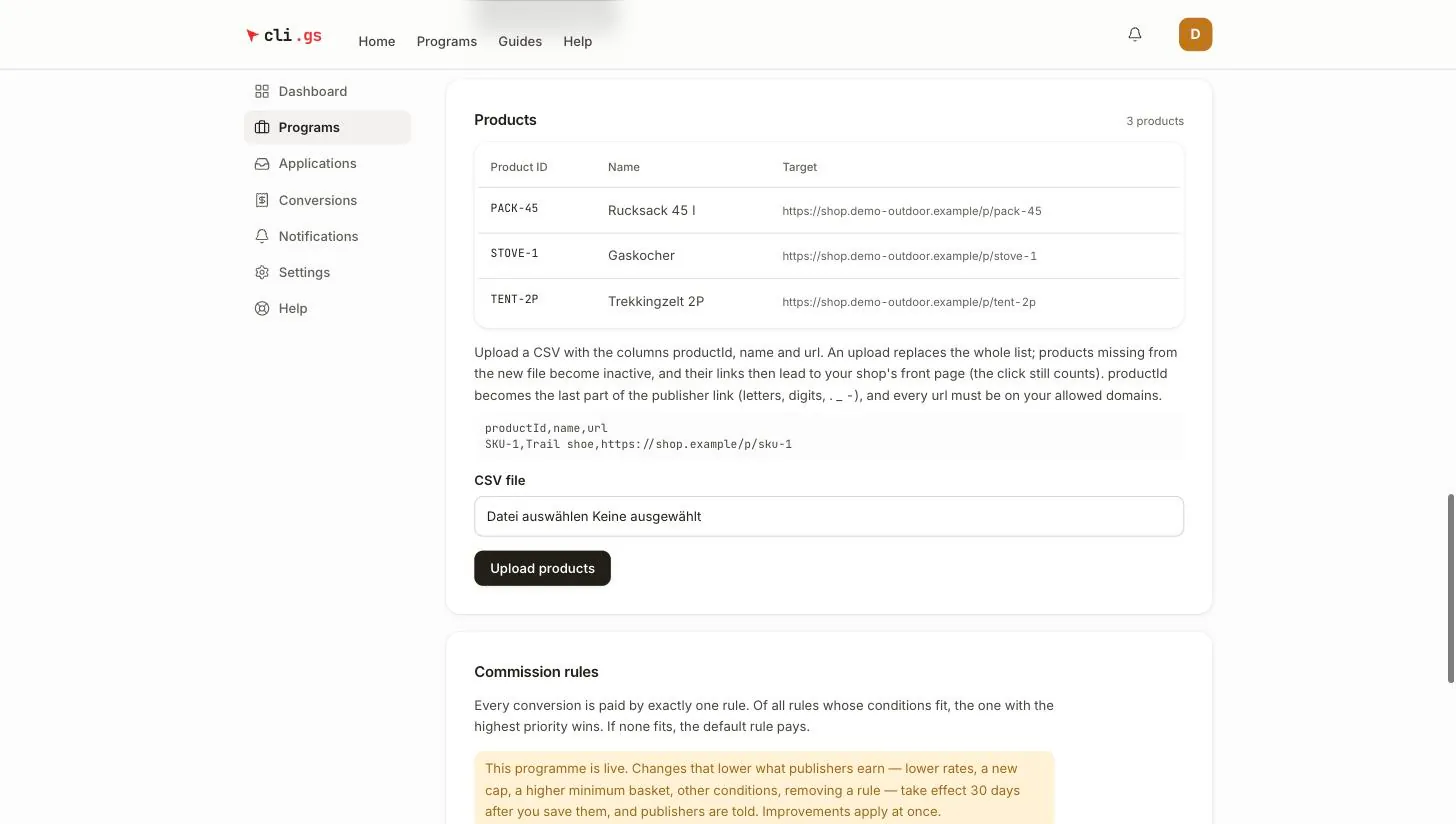
You can upload a new list at any time while the programme isn't archived, even while it's live. The new list applies immediately.
Validation: all or nothing
cli.gs checks the whole file before it writes anything. If a single line is wrong, nothing is imported and your current list stays as it is. A half-imported catalogue would be worse than a refused one: nobody notices the missing half until a link fails.
The error message says how many problems the file has. It lists the first ten with their line numbers, for example:
- "Line 1: the header must be exactly productId,name,url."
- "Line 14: product ID "SKU-14" appears twice."
- "Line 15: "SKU 15" is not a valid product ID." (spaces are not allowed)
- "Line 27: shop.other.example is not one of the program's allowed domains."
- "Line 40: expected three columns." (often an unquoted comma in a name)
Product URLs are checked against your allowed domains at upload time. You find out now, instead of discovering later that a product quietly falls back to your front page. If a product lives on another domain, add that domain under Link target first. On a submitted or live programme, cli.gs reviews that change before it applies. See Review and lifecycle.
Replacing the list
Every upload replaces the whole list. The file you upload is the complete catalogue, not an addition:
- Products in the new file are created or updated (name and URL).
- Products missing from the new file become inactive.
- An inactive product that appears in a later file becomes active again, with the same link.
To add one product, upload your full list with the new line added.
Inactive products and unknown IDs
A publisher link to an inactive product still works. The visitor lands on your shop's front page (your Shop website) instead of the product, and the click still counts. A sale from that visit earns commission like any other. This way, links already posted in articles or videos never lead to an error page.
A link with a product ID that was never on your list leads nowhere. It shows a "not found" page.
Publishers and the product list
Approved publishers see your products with their personal link for each one. They can download the list as a CSV with an extra affiliateUrl column for bulk use. See Use your links.