Review and lifecycle
Submitting, pausing, archiving and changing the target.
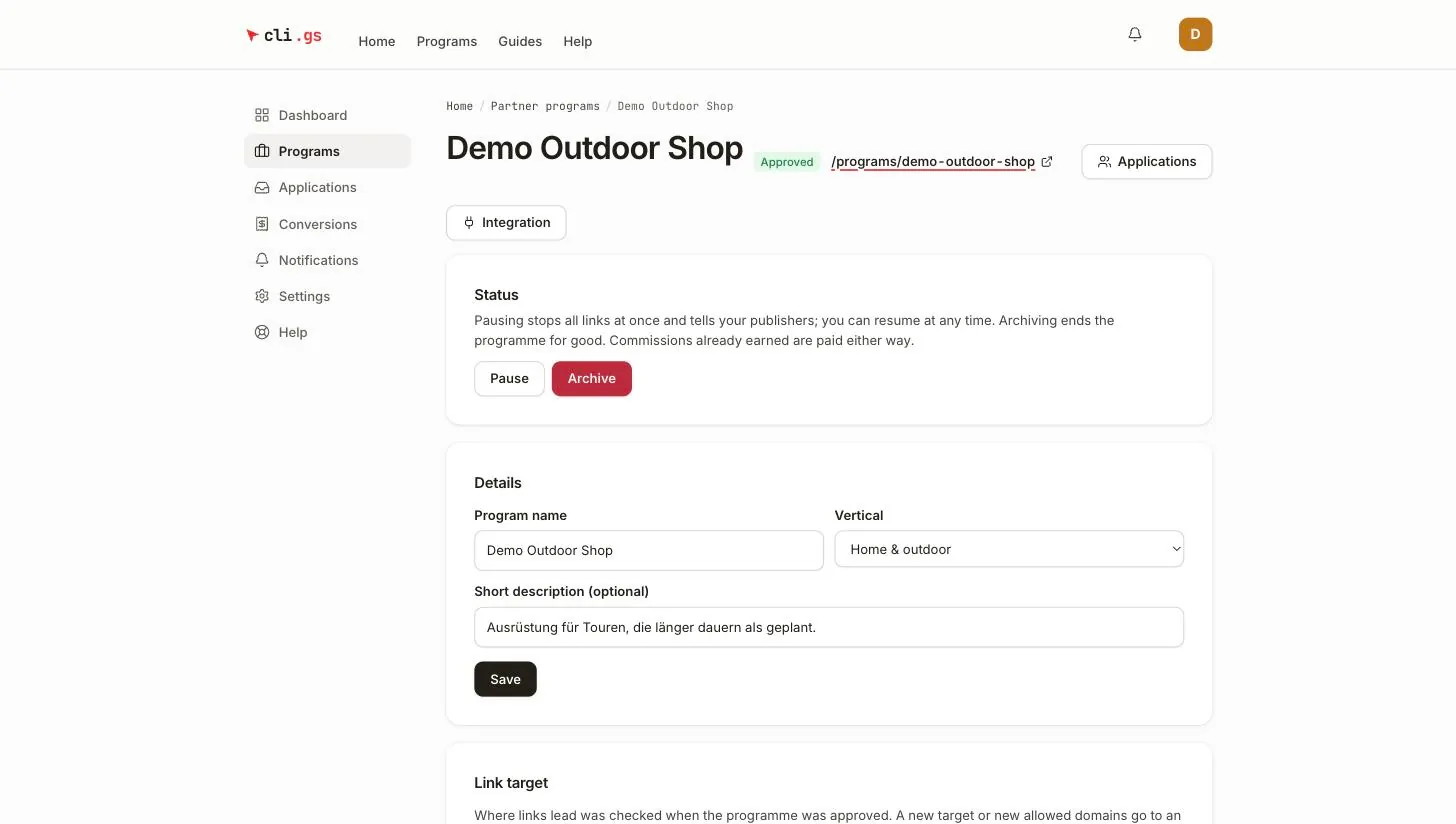
Every programme moves through a few states: from draft to live and, eventually, to archived. On this page you'll learn what each state means, what the buttons in the Status section do, and which changes need a review by cli.gs. cli.gs reviews a programme before it goes public, and again whenever you change where its links lead.
In short:
- Submit for review sends a programme to an admin, who approves or rejects it.
- Pause stops all links at once. Resume undoes it.
- Archive ends a programme for good.
- Changing where links lead needs a new review on a submitted or live programme.
The states of a programme
| Status | What it means | Links work | In the marketplace |
|---|---|---|---|
| Draft | You are still setting it up. Does not count towards your quota. | no | no |
| Under review | Submitted; an admin is checking it. | no | no |
| Approved | Live: publishers can apply and their links work. | yes | yes |
| Paused | Stopped by you (or by a suspension); can be resumed. | no | no |
| Rejected | The review found a problem; the reason is shown on the programme. | no | no |
| Archived | Ended for good. Cannot be changed or reopened. | no | no |
Submitting for review
When the programme is ready, go to Submit for review at the bottom of the programme page and click Submit. cli.gs first checks a few things itself, so a reviewer doesn't have to:
- your merchant account is verified;
- description and terms have at least 40 characters each;
- there is a default commission rule;
- a product-list programme has at least one active product;
- your quota allows another programme (on the free tier: one submitted, live or paused programme).
An admin then reviews the programme. You're notified of the decision:
- Approved — the programme goes live. Its public page
/programs/your-addressappears in the marketplace, publishers can apply, and tracking links work. - Rejected — the programme page shows the reviewer's reason. Fix what it names and use Submit again after revising.
While a programme is under review, you can keep editing it. You can also issue its API key and start integrating your shop; see Integration overview. To take it back out of the queue, click Withdraw from review. It becomes a draft again.
A draft that has never been reviewed can be removed with Delete draft.
Pausing and resuming
Pause stops all links of a live programme at once and notifies your publishers. Use it when you're out of stock, rebuilding your shop or simply need a break. Visitors who click a link of a paused programme don't reach your shop.
Sales that started with a click from the live phase are still accepted and paid, within the cookie window. Resume makes the programme live again at any time, with the same links, publishers and rules.
A programme paused by a suspension of your account can't be resumed by you. It goes live again on its own when the suspension ends. See Become a merchant.
Archiving
Archive ends a programme for good. Links stop working, and the programme can't be reopened. Archiving is available for approved, paused and rejected programmes.
- All publisher links are deactivated and publishers are notified.
- The programme leaves the marketplace and no longer counts towards your quota.
- Conversions already reported are still settled: you can still reject open ones within their approval window, and earned commissions are paid.
- Announced changes and a pending target change are discarded.
Changing details and the link target
Details
Name, Short description (optional) and Vertical under Details describe the programme without changing the deal. They change at once. The address /programs/… can't be changed after creation.
Link target
Where links lead is different: it was checked when the programme was approved. Under Link target you can change the Shop website, the Target URL (single-target programmes) and the Additional allowed domains (optional).
- On a draft or rejected programme, Save applies the change at once.
- On a programme that's under review, live or paused, the button reads Send for review. An admin checks the change first. Until then the section tells you that a change is waiting for review and that links still lead to the current target. Once approved, links lead to the new target. If it's declined, you're notified with the reason.
If the programme is still under review when you send a target change, the admin approves both together.
Changes to terms and commission rules don't need a review. On a live programme, some of them take 30 days. See Terms and commission rules.
When cli.gs takes a programme offline
If a live programme breaks the rules, an admin can take it off the platform. It then becomes Rejected with the reason, its links stop and publishers are notified. You can fix the problem and submit it again.