Credit and costs
The free tier, topping up, what a sale costs, receipts and invoices.
cli.gs has no subscription and no cost per click. You pay from prepaid credit, and only when a publisher brings you a sale: the publisher's commission plus a network fee. On this page you'll learn what the free tier includes, how to top up, what a single sale costs and which documents you receive.
In short:
- Free tier: one programme with one publisher. From €100 credit, both are unlimited.
- Top up between €5 and €100 per payment via Stripe.
- Each sale reserves the publisher's commission plus 20 % of it as network fee from your credit.
- A conversion your credit can't cover is parked and books itself after your next top-up.
- You get a receipt per top-up and a network-fee invoice per month.
The free tier and the €100 threshold
Once you're verified, you can run one programme with one publisher for free. Drafts don't count. A programme uses the quota from the moment you submit it, and while it's live or paused. Every approved publisher counts towards the publisher limit, across all your programmes.
A credit balance of €100 or more removes both limits: unlimited programmes and unlimited publishers. The programmes page tells you which applies to you:
- "Free tier: one program, one publisher. Drafts do not count. From €100 credit everything is unlimited."
- "Your credit of €100 or more unlocks unlimited programs and publishers."
Topping up
- On the Merchant dashboard, click Buy credits.
- Enter an Amount (€): minimum €5, maximum €100 per payment.
- Click Continue to payment and pay with Stripe.
After a successful payment you return to the dashboard. It shows "Payment received — your credits will appear shortly." The credit is added as soon as Stripe confirms the payment. For payment methods that settle later, that can take a little longer. To reach €100 or more, you may need more than one top-up.
If Stripe refunds a payment or a bank raises a chargeback, your credit is reduced by that amount. A dispute you win gives it back.
Paying by bank transfer
If paying by card isn't an option for you, we can enable bank transfer for your account — ask support. The section then appears on your dashboard. The credit, the receipt and everything that follows are the same as with a card top-up; only the way the money arrives differs.
- On the Merchant dashboard, open Pay by bank transfer (only shown once enabled).
- Enter an Amount (€) — minimum €5, maximum €10,000 — and click Get a reference.
- Transfer the amount and put the reference (for example
CG-K7M2P9XW) in the payment reference. Bank details come separately from us. - Once the payment has arrived, we book it within 1–3 working days. The request shows as Booked, the credit is on your balance, you get a notification and a receipt, and parked conversions book themselves.
You can have up to three open requests at a time and withdraw an open one with Withdraw. If you transfer without a reference, the booking takes longer because we have to match the payment by hand.
What a sale costs
For every conversion your shop reports, cli.gs reserves two amounts from your credit at once:
| Amount | Who gets it | How it is calculated |
|---|---|---|
| Commission | The publisher | By your commission rules, e.g. 8 % of the basket or a fixed €5 |
| Network fee | cli.gs | 20 % of the commission, on top of it |
The fee is never deducted from the publisher's commission; it comes on top. It's calculated on the commission, not on the basket. A lead with a €2.50 fixed amount therefore costs you €3.00.
Example: a sale with a €100 basket under a 10 % rule reserves €10.00 commission and €2.00 network fee, €12.00 in total. A €100 commission would carry a €20.00 fee, €120.00 in total.
If you reject the conversion within the approval window (the time in which you can still object), both amounts come back to your credit. The same happens when your shop reverses it. Once a commission has been locked for a publisher payout, it's final. See Review conversions and Returns and reversals.
When your credit runs out
A conversion your credit can't cover is not lost and not refused. cli.gs parks it in Conversions → To review with a note that your credit didn't cover commission and fee. After your next top-up, parked conversions book themselves, oldest first, until the credit is used up. You also receive a notification when a conversion is parked for this reason.
Receipts and invoices
The Receipts and invoices section on the dashboard lists every document with a PDF download:
- Top-up receipt — one for every top-up. Credit is a prepayment, not a service, so the receipt carries no VAT.
- Network fee invoice — issued on the 1st of each month for the previous month's network fee, minus fees refunded that month. It's marked as already settled, because the fee was taken from your credit sale by sale. VAT is shown according to your country and VAT ID. Months without any fee produce no invoice.
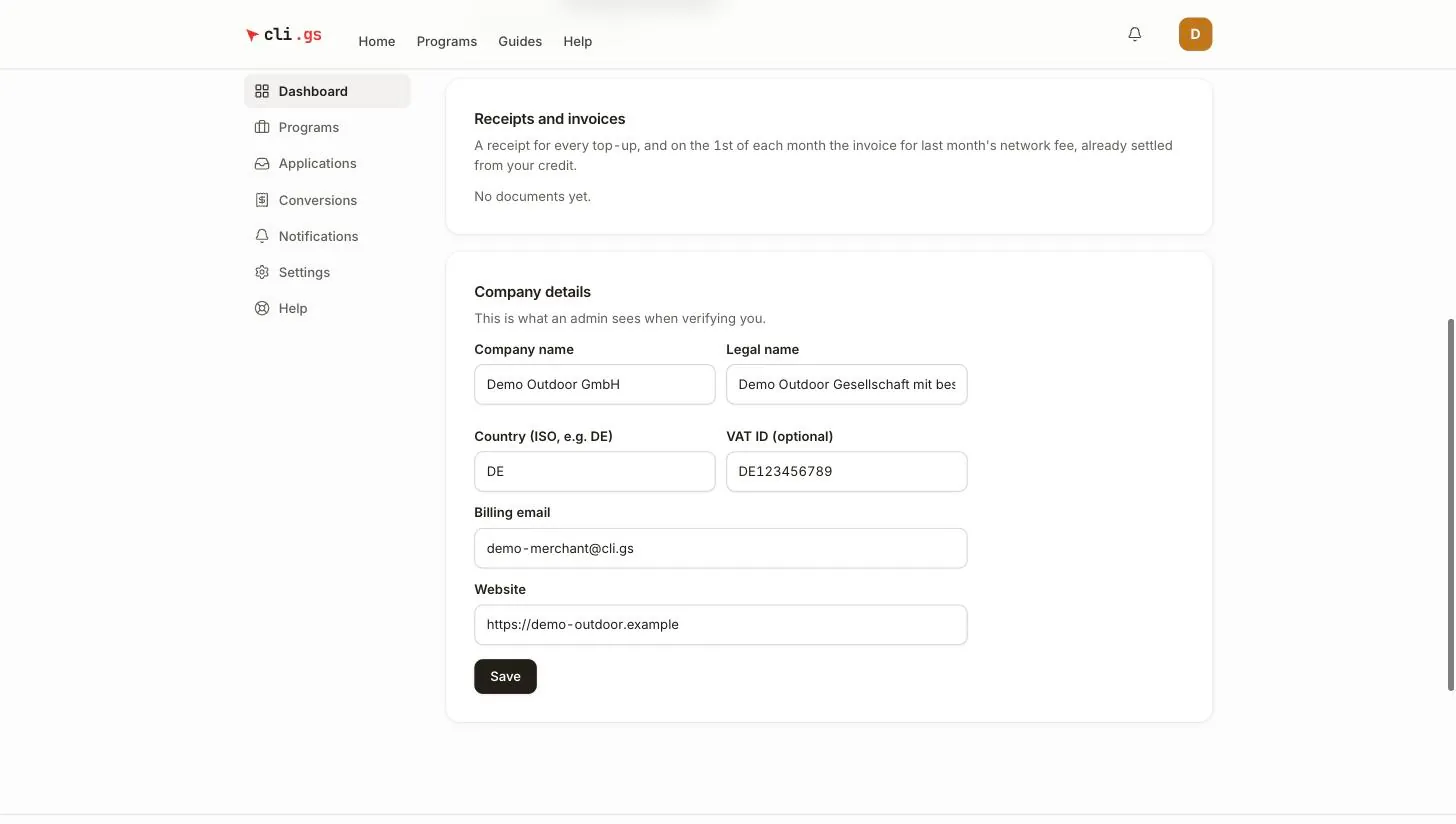
The documents are addressed with the legal name, country and billing e-mail from your company details. Keep those up to date. See Become a merchant.